
Sharp Diagrams: Mermaid diagrams for Confluence and Jira
Write diagrams as text and get sharp, zoomable drawings on Confluence pages and in Jira issues. Two apps, one for each product, coming to the Atlassian Marketplace.
What is Sharp Diagrams?
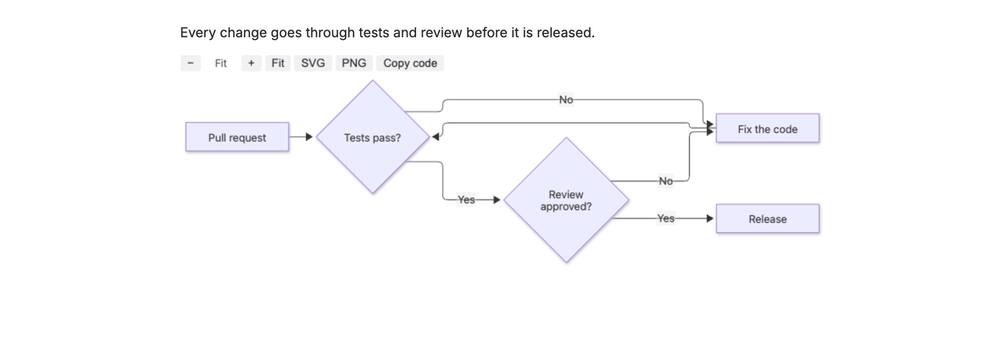
Sharp Diagrams draws Mermaid diagrams from text: in Confluence as a macro on the page, and in Jira in a panel on the issue. Mermaid is a text format for flowcharts, sequence diagrams, Gantt charts and other diagrams.
There are two apps with the same diagram engine. Sharp Diagrams – Mermaid for Confluence adds a diagram macro with an editor and live preview. Sharp Diagrams – Mermaid for Jira draws the Mermaid code blocks of the issue description in a panel. Install the one for the product you use, or both.
No data leaves Atlassian. The apps run on Atlassian’s Forge platform, have no external connections and store nothing of their own: the diagram code stays in your Confluence page or Jira issue.
How do I add a Mermaid diagram in Confluence and Jira?
Mermaid’s own documentation lists every diagram type and its syntax: mermaid.js.org.
Confluence
- Edit a page, type /mermaid and choose Mermaid diagram.
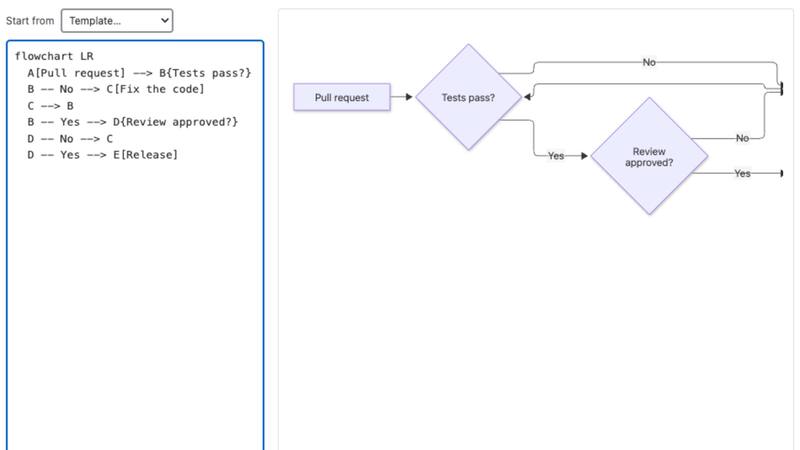
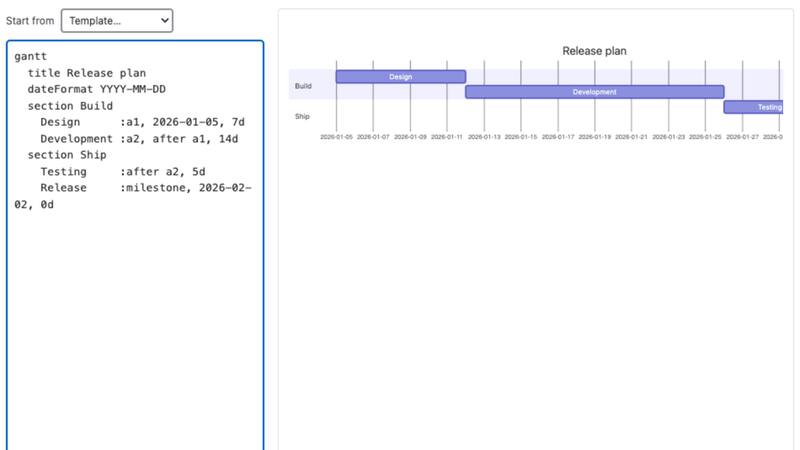
- Write Mermaid code on the left, or pick a template from Start from.
- The preview on the right updates while you type. If the code has a mistake, the error and its line number appear under the code.
- Select Save and publish the page. To change the diagram later, edit the page, select the diagram and choose the edit (pencil) button.
Jira
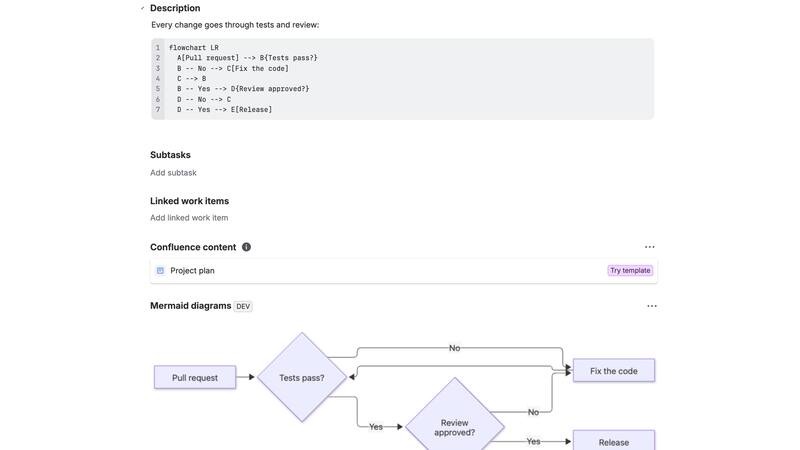
- In the issue description, add a code block, set its language to mermaid and write the diagram code in the block.
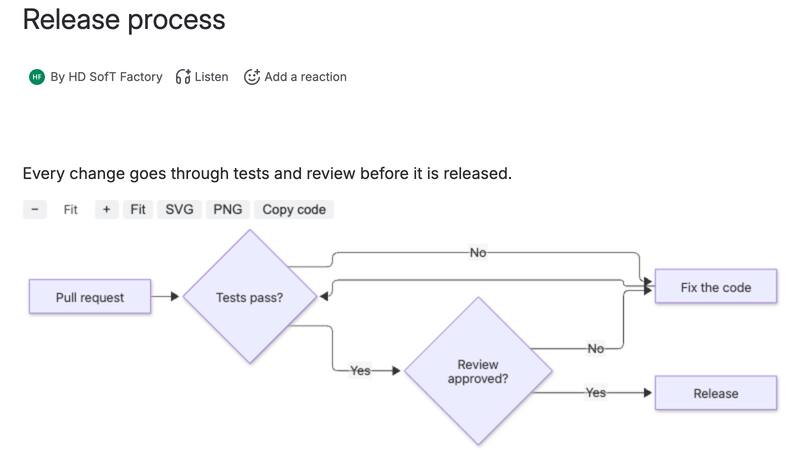
- Open the issue and choose Mermaid diagrams from the app actions button under the issue title. The panel stays on the issue after that.
- Every Mermaid code block in the description becomes its own diagram in the panel. After you change the description, reload the issue to see the new diagram.
Features
Live preview while you type
Write Mermaid code on the left and see the diagram on the right. A mistake shows the error and its line number, and the last working diagram stays in view.
Templates for 11 diagram types
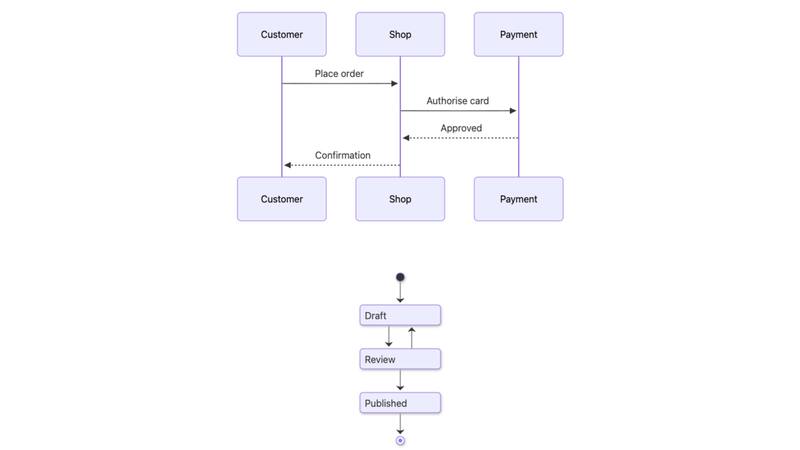
Flowchart, sequence, class, state, entity relationship, Gantt, mind map, timeline, pie chart, user journey and Git graph. The editor asks before a template replaces your own code.
Sharp diagrams that fit
Diagrams are drawn as SVG at the width of the page or panel and stay sharp when you zoom. A very wide diagram is shrunk only to 75 % so that its text stays readable.
Zoom, download and copy
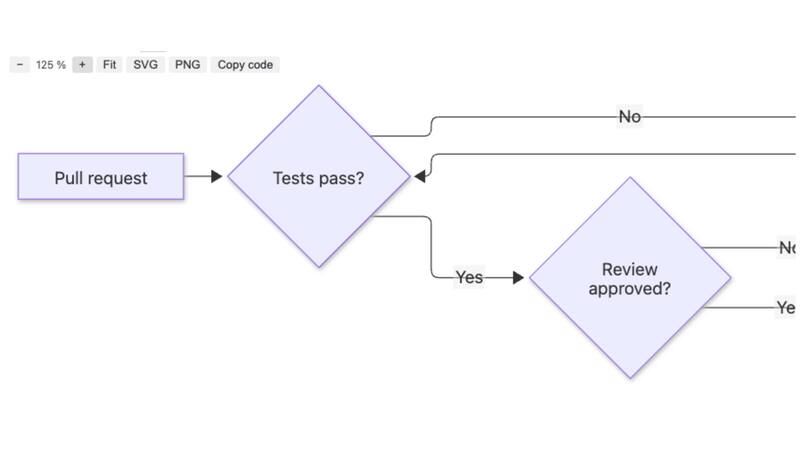
Zoom from 50 % to 300 % and fit the diagram to the width again. Download it as SVG, or as PNG at twice the size for slides and documents, or copy its code.
Diagrams from Jira issue descriptions
Every Mermaid code block in the description becomes its own diagram, so one issue can hold a flowchart and a sequence diagram. Other code blocks are left alone.
Light and dark mode
Diagrams follow the colour mode of Confluence and Jira. In dark mode they are drawn with Mermaid’s dark theme.
PDF and Word exports
Confluence makes exports on its servers, where the diagram can’t be drawn, so the export contains the diagram code. To put a drawing in a document, download it as PNG or SVG.
Data stays in Atlassian
No external connections and no storage of their own. In Jira the panel reads the description with the viewer’s own permissions, so it shows only what that person can already see.
Pricing
Up to 10 users
Free.
100 users
USD 250 a year.
The price applies to each app separately. Atlassian handles the billing. Prices for other user tiers are shown on the Atlassian Marketplace once the apps are published. Customers on the free tier get the same support as paying customers.
Screenshots
Frequently asked questions
How much does Sharp Diagrams cost?
It is free for up to 10 users. For 100 users the price is USD 250 a year. The price applies to each app separately, and Atlassian handles the billing.
Do I need both apps?
No. The Confluence app draws diagrams on Confluence pages, and the Jira app draws them from Jira issue descriptions. Install the one for the product you use, or both.
Which diagram types does Sharp Diagrams support?
Mermaid’s diagram types, for example flowcharts, sequence, class, state, entity relationship and Gantt diagrams, mind maps, timelines, pie charts, user journeys and Git graphs. The Confluence editor has templates for these 11 types.
How do I add a diagram to a Jira issue?
Add a code block with the language mermaid to the issue description and open the Mermaid diagrams panel on the issue. Each Mermaid code block becomes its own diagram. After you change the description, reload the issue to see the new diagram.
Are diagrams included in PDF and Word exports?
The export contains the diagram code as a code block, with a note that the drawing is on the page. Confluence makes exports on its servers, where the diagram can’t be drawn. To put a drawing in a document, download it as PNG or SVG.
Does any data leave Atlassian?
No. The apps run on Atlassian’s Forge platform and have no external connections. They store nothing of their own: the diagram code stays in your Confluence page or Jira issue.
Are links and HTML in diagrams run?
No. Diagrams are drawn in the viewer’s browser with Mermaid’s strict security level, so links, click handlers and HTML inside diagrams are not run.
What happens if the license isn’t active?
The diagram isn’t drawn. Its code is shown instead, so no content is lost.
Support and terms
Support: support@hdsoft.fi, Monday to Friday 9:00–17:00 Finnish time, in English and Finnish. Response times and security reports are on the support page.
Documentation: how to set up and use Sharp Diagrams.
Privacy: privacy policy.
Terms and other apps: Apps for Jira and Confluence.
Coming to the Atlassian Marketplace
Sharp Diagrams is coming to Confluence Cloud and Jira Cloud through the Atlassian Marketplace. The documentation already shows how it works.
Atlassian, Jira and Confluence are trademarks of Atlassian. The apps are made and supported by HD SofT.