
Klassik Sanahaku
Two word games in one app: guess the hidden words or find words in a letter grid. Out now on Google Play.
Guess, search and find the words
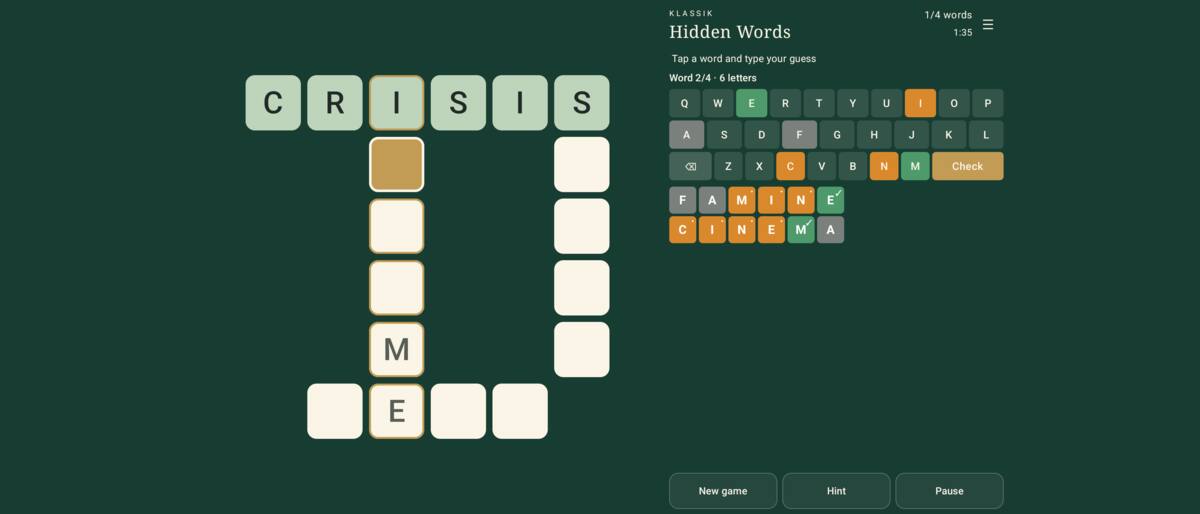
Klassik Sanahaku combines two word games. In Hidden Words you guess the words hidden in a crossword-like grid, and in Word Search you find the listed words in a letter grid. The game starts in Hidden Words, and you can switch the game mode when you start a new game. In English the game is called Klassik Word Search.
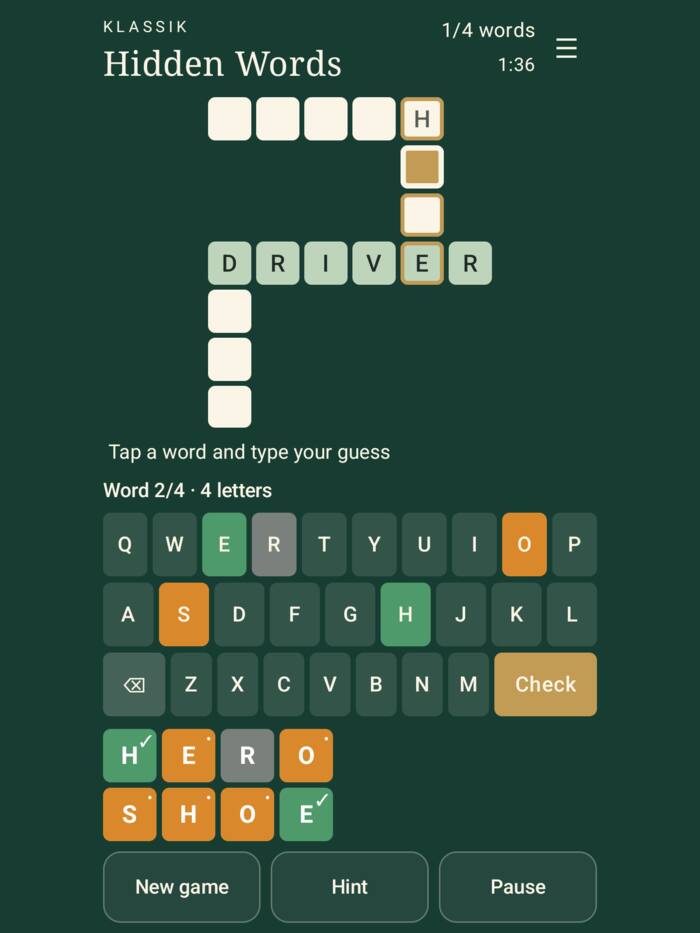
In Hidden Words, tap a word in the grid and type a guess. Green ✓ means the right letter in the right place, orange • a letter that is in the word but elsewhere, and grey a letter that is not in the word. Correct letters stay in the grid and help crossing words. Easy is a 5 × 5 grid with rows only, Normal a 7 × 7 grid where rows and columns cross, and Hard an 8 × 8 grid with diagonal words too. Word length can be 5, 6 or 7 letters, or mixed.
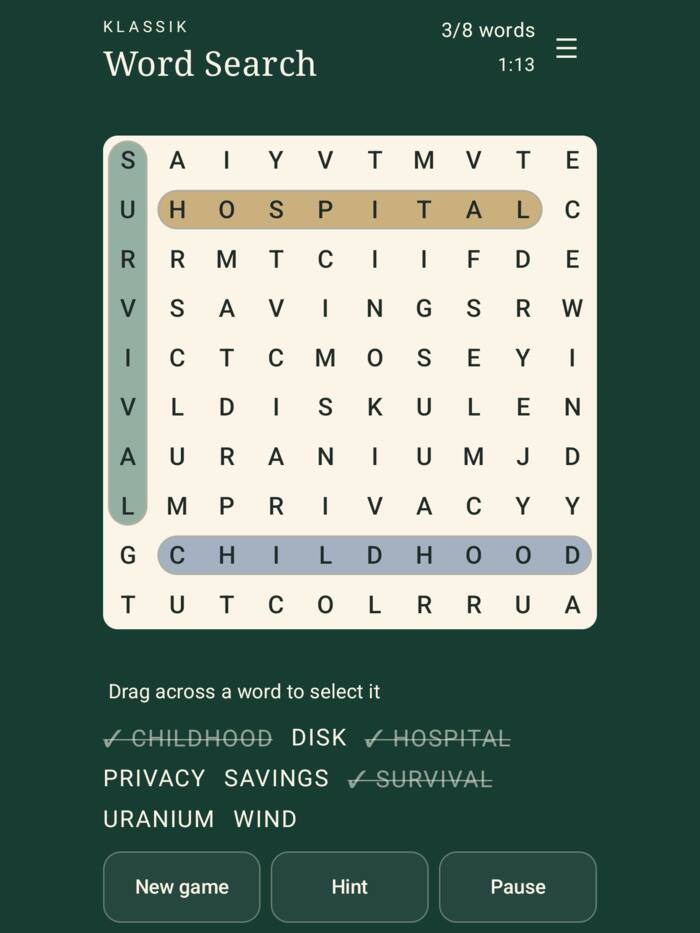
In Word Search, drag your finger from the first letter of a word to the last. On Easy, words run left to right and top to bottom, on Normal also diagonally, and on Hard in all eight directions, also backwards. The grid is 8 × 8, 10 × 10, 12 × 12 or 15 × 15.
Klassik Sanahaku is the third game in HD SofT’s Klassik family. The earlier games in the series are Klassik Solitaire and Klassik Mahjong.
Klassik Sanahaku is available for Android phones and tablets on Google Play. The game is free and ad-supported, and an optional monthly subscription removes the ads.
Play your way
Daily game
The daily game is the same for everyone. Play it every day and grow your streak.
Three word lists
Choose Basic, Rare words or My words. In My words you can type your own list, for example the words for a spelling test.
Five languages
The game is available in English, Finnish, Swedish, Danish and Norwegian Bokmål. The app language and the word list language are chosen separately.
High contrast
High contrast mode makes colours easier to tell apart. The ✓ and • marks show the result without relying on colour.
Statistics and records
Statistics show your best times and, in Hidden Words, your fewest guesses.
No player account
The game requires no registration and no sign-in. Your games, statistics and own words are stored on your device.
Free game, optional monthly subscription
Free
The game is free to download. The first game starts without an ad; after that, an ad is shown between games.
Hint with a rewarded ad
When you need help, you can choose to watch a rewarded ad and get one hint. In Hidden Words a hint reveals one letter of the selected word; in Word Search it highlights the first letter of a word you have not found.
Ad-free monthly subscription
An optional monthly subscription removes all ads and gives unlimited hints for as long as the subscription is active.
The price is shown in Google Play before you confirm the purchase. The subscription renews automatically until you cancel it in your Google Play subscription settings.
Pictures from the game
Frequently asked questions
How do I restore my subscription?
Use the same Google account the subscription was bought with, and choose Restore purchases in the game’s settings.
How do I cancel the subscription?
Choose Manage subscription in the game’s settings or open Google Play subscriptions. Removing the app from your device does not cancel the subscription.
Why does an ad not load?
Ads need a network connection, and an ad is not always available. A hint can only be given once a rewarded ad has loaded, so wait a moment and try again. If the ad between games cannot be loaded, the new game still starts.
Can I play without a network connection?
Yes, you can play offline. Ads and purchases need a network connection.
Does my game survive changing devices?
Your games, statistics and own words are stored on the device. The game has no player account and no synchronisation between devices.
How do I change advertising privacy choices?
Open the game’s settings. The Privacy button is shown when the advertising service requires the option to change your choices.
Support
Need help? Email support@hdsoft.fi or use Support and feedback in the game. Tell us your device model, app version and what happened.
Support requests can be written in Finnish or English.
The word lists are built from openly licensed sources. If you spot a misspelled, offensive or odd word, send feedback with Report a word in the game.
Privacy: Klassik Sanahaku privacy policy
Word lists: sources and licenses